Open
DesignDue Nov 6
Homepage hero
New headline, product shot and motion for the first fold.
JKAM72%
Tweenshot captures an element's animation frame by frame. Flag the wrong frame and hand it to AI.
Homepage hero
New headline, product shot and motion for the first fold.
Hover the card
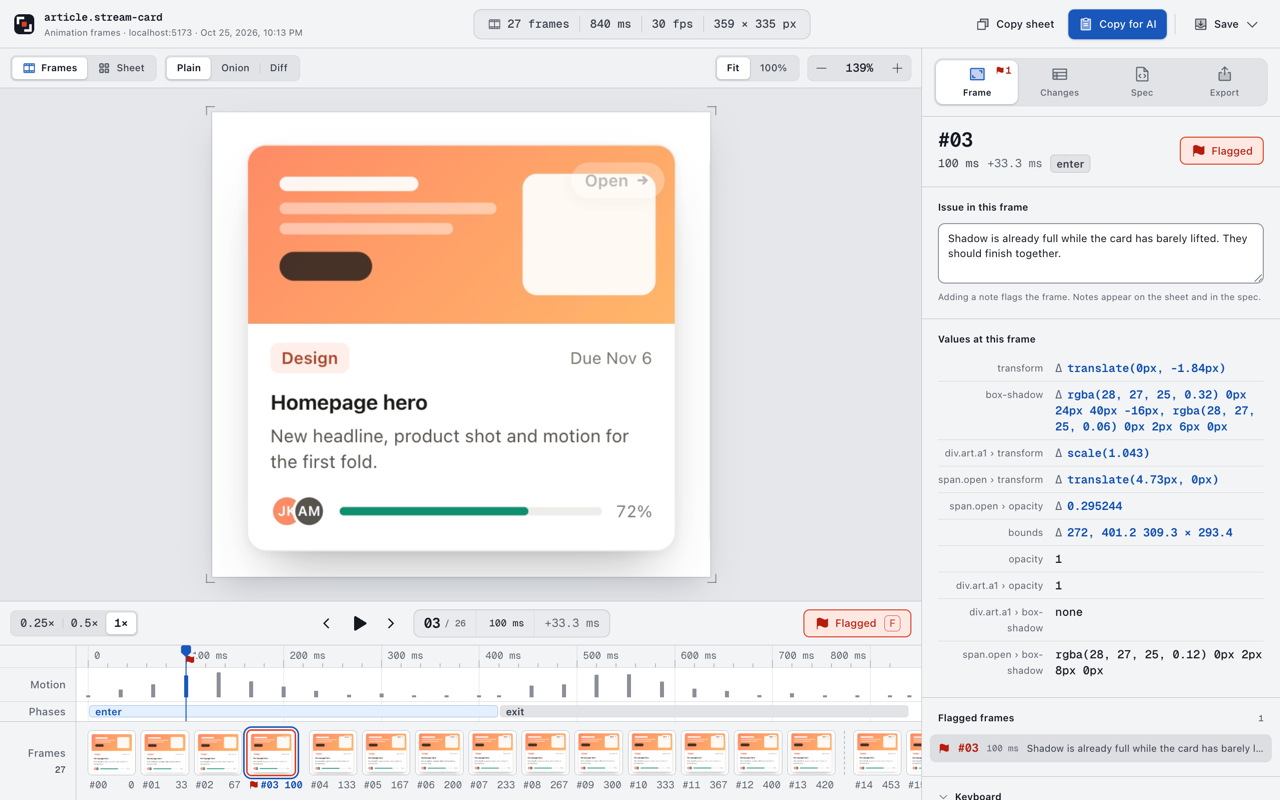
Select a frame to read its values.
Point at anything on the page, or find it by CSS selector. Arrow keys move to the parent, children and siblings.
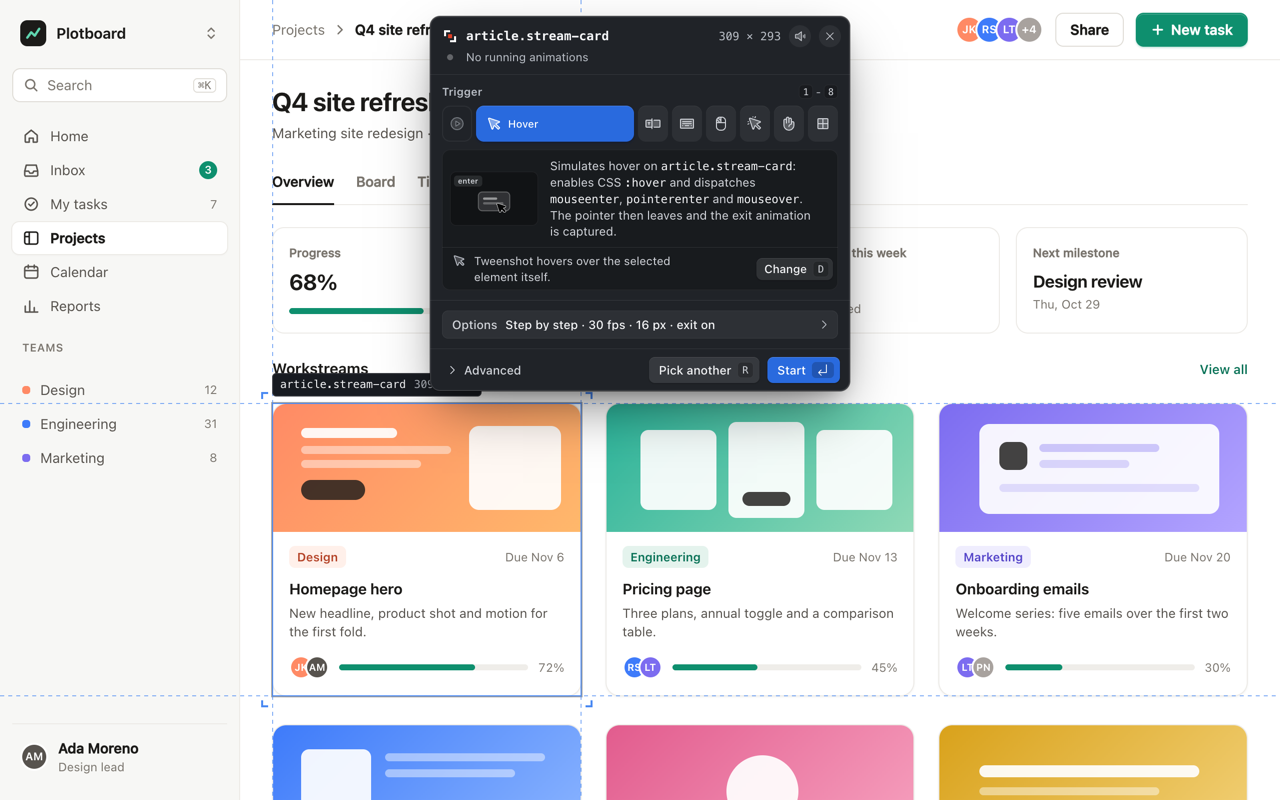
Hover, focus, press and click are triggered for you. CSS, Web Animations and GSAP are stepped to exact times; canvas and drags are recorded live.
Step through frames, compare them in onion skin or difference view, and write down what is off.
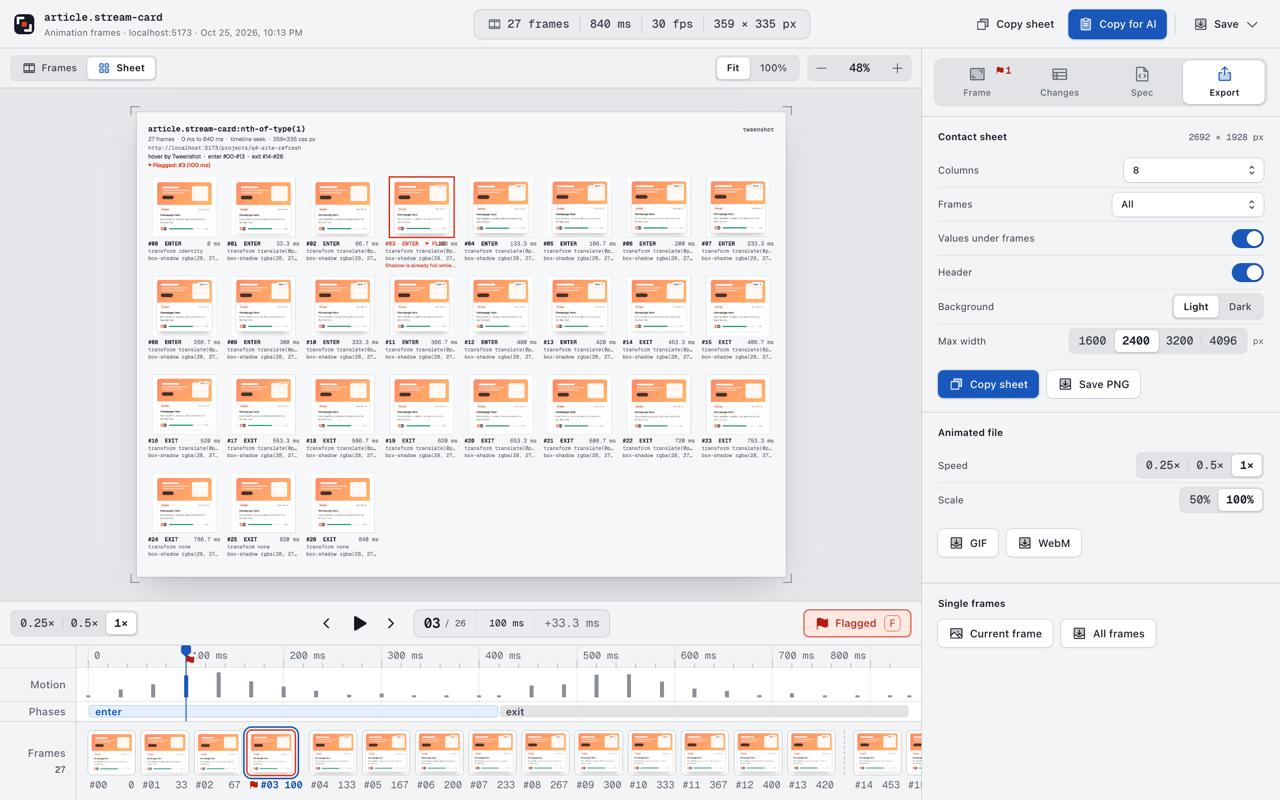
The sheet goes out with a Markdown spec: selector, keyframes, timing and the CSS of every frame.
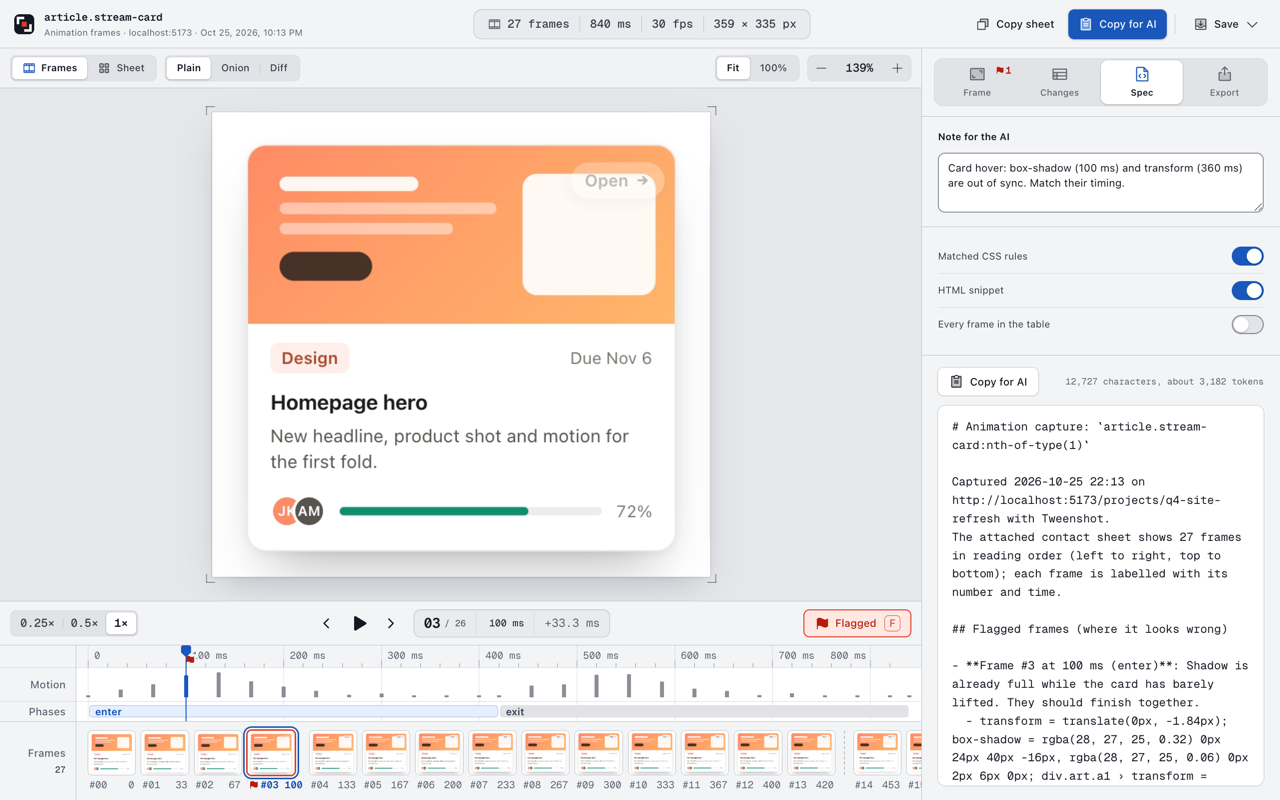
The flagged frame comes first, with its values, so the fix starts where the problem is.
contact-sheet.png
# Animation capture: `article.stream-card` 27 frames from 0 to 840 ms, hover by Tweenshot.The attached sheet shows every frame in reading order. ## Flagged frames- Frame #3 at 100 ms (enter): Shadow is already full while the card has barely lifted. transform: translate(0px, -1.84px) box-shadow: 0 24px 40px -16px rgba(28, 27, 25, 0.32) ## Transitions transform 360ms cubic-bezier(0.4, 0, 0.2, 1) box-shadow 100ms ease-out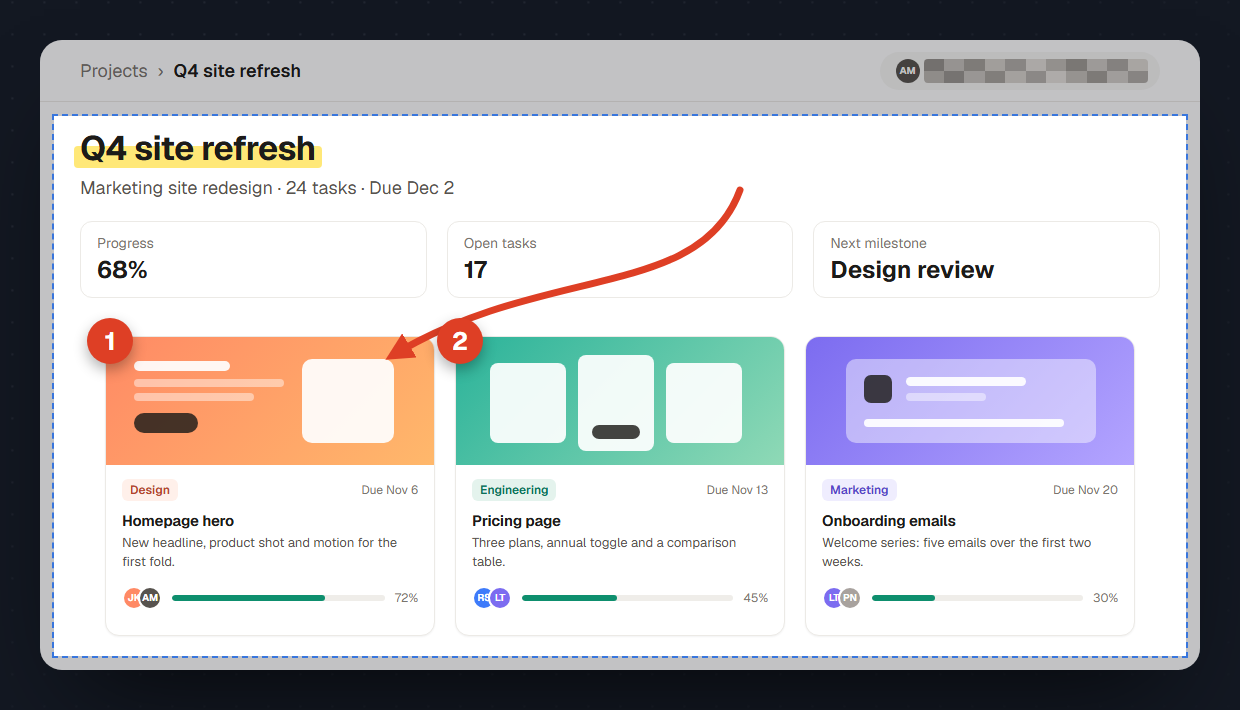
Capture the visible area, the full page, a region or one element, then mark it up before you share it.
Pen, highlighter, arrow, shapes, text, numbered steps and pixelate. Marks stay apart from the original.
activeTabscriptingtabCapture offscreendownloadsstorage unlimitedStorageFree. Works in Chrome, Edge, Brave, Arc and Opera, version 116 or later.